Workiz helps you gather all this information in a very easy and professional way.
Robert
CEO, HR Locksmith 24/7


Stop being a receipt detective. Track every purchase to a receipt, link them to jobs, and automate reconciliation.
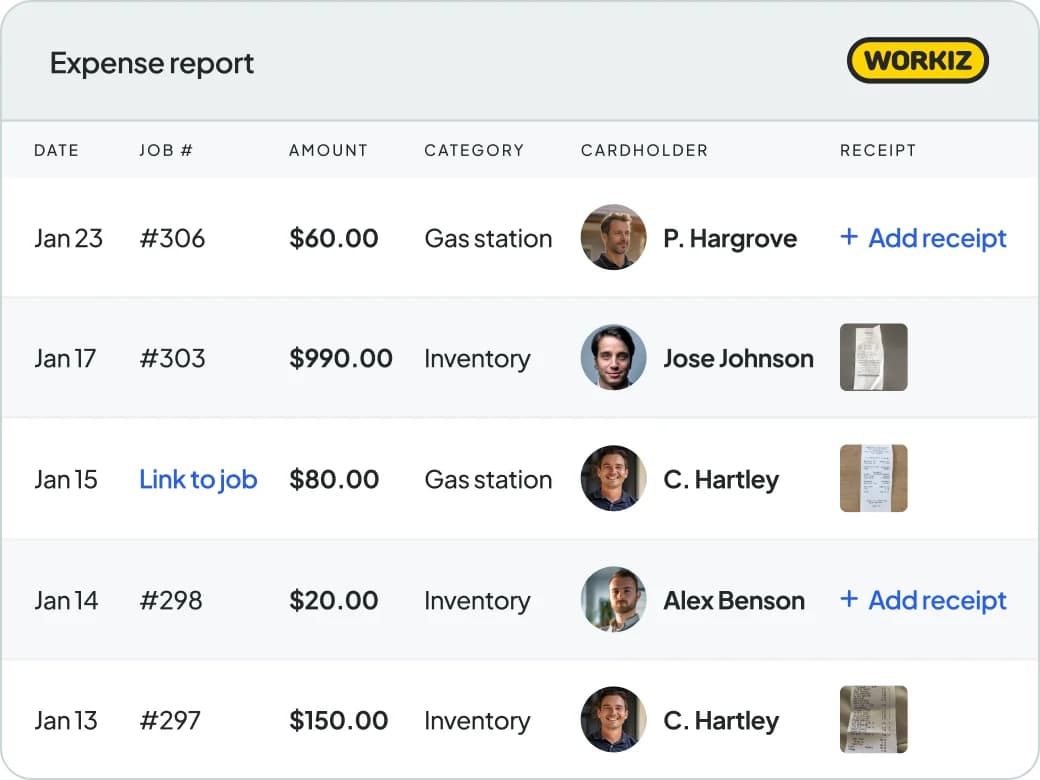
Gain full visibility
Get full visibility into your expenses and cut out hours of receipt reconciliation every month. Go from ‘Who spent $27.99 at Home Depot, and why?” to “Bill spent $27.99 at Home Depot and he hasn’t uploaded the receipt yet”.
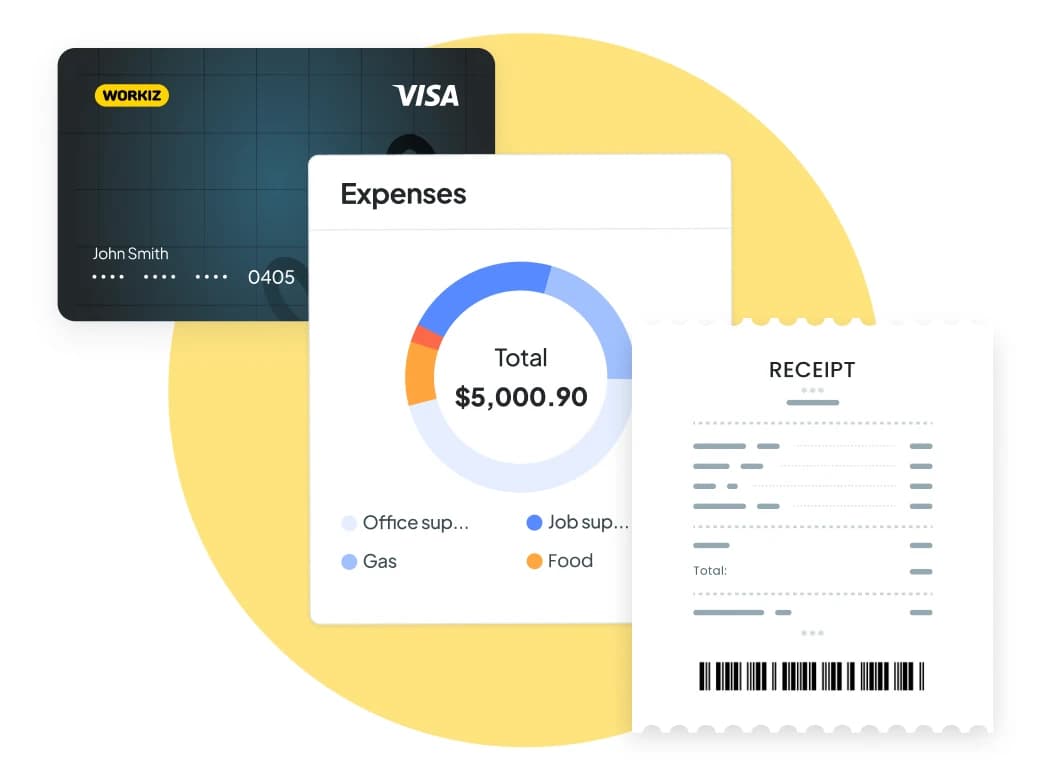
Effortless Expense accountability
See every expense line item and hold employees accountable for uploading their receipts – the easiest reconciliation of your life.
Clarity on job costing
Link every purchase directly to specific jobs, so you know exactly what each project costs—down to the last receipt.
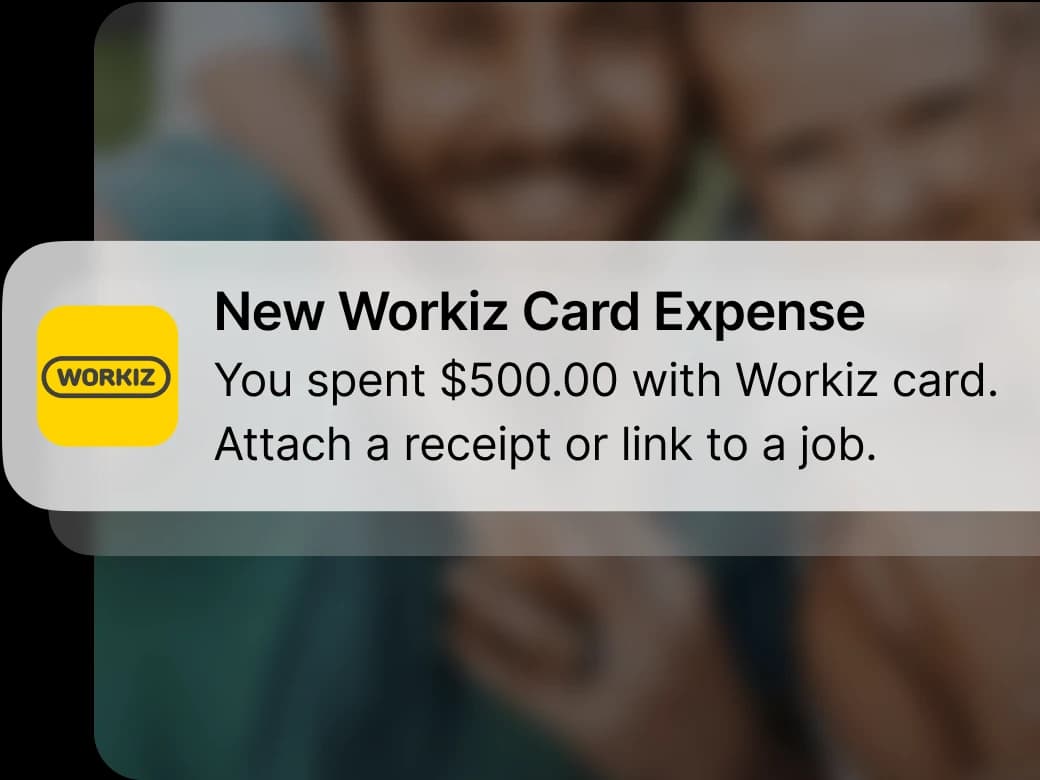
Stop funding the IRS
Automatic reminders push your team to upload their receipts immediately, so every purchase is accounted for and you never miss a write-off.
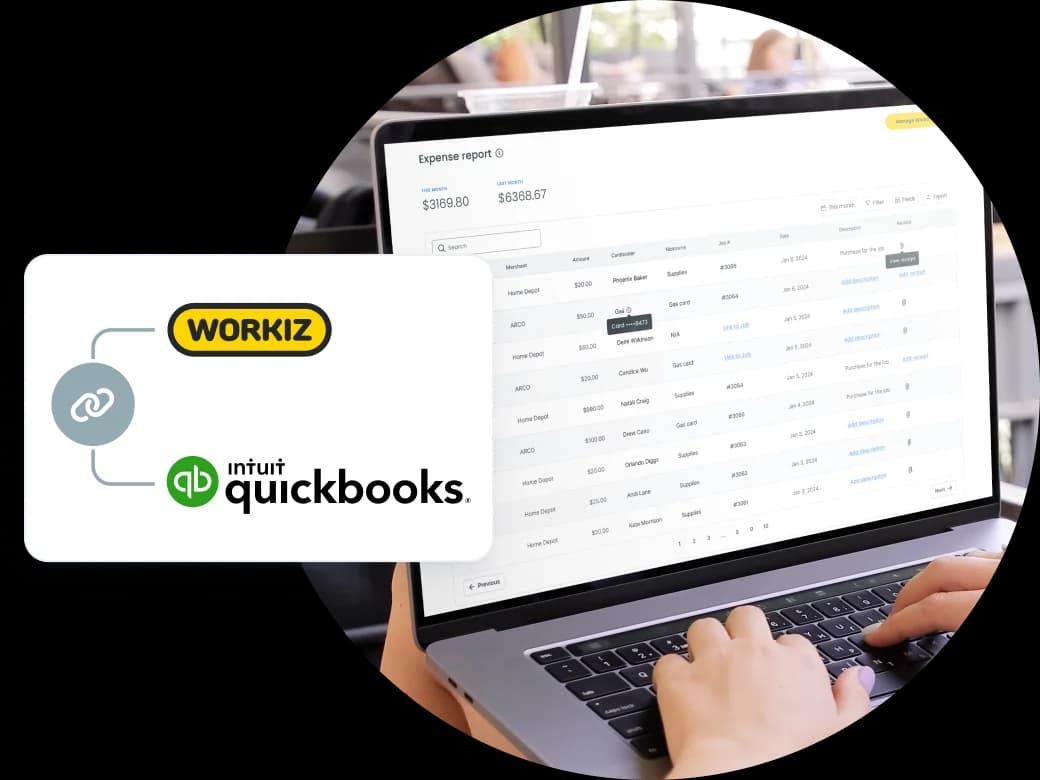
Connect to QuickBooks Online
Every expense flows straight to QuickBooks, turning bookkeeping into a hands-off experience.
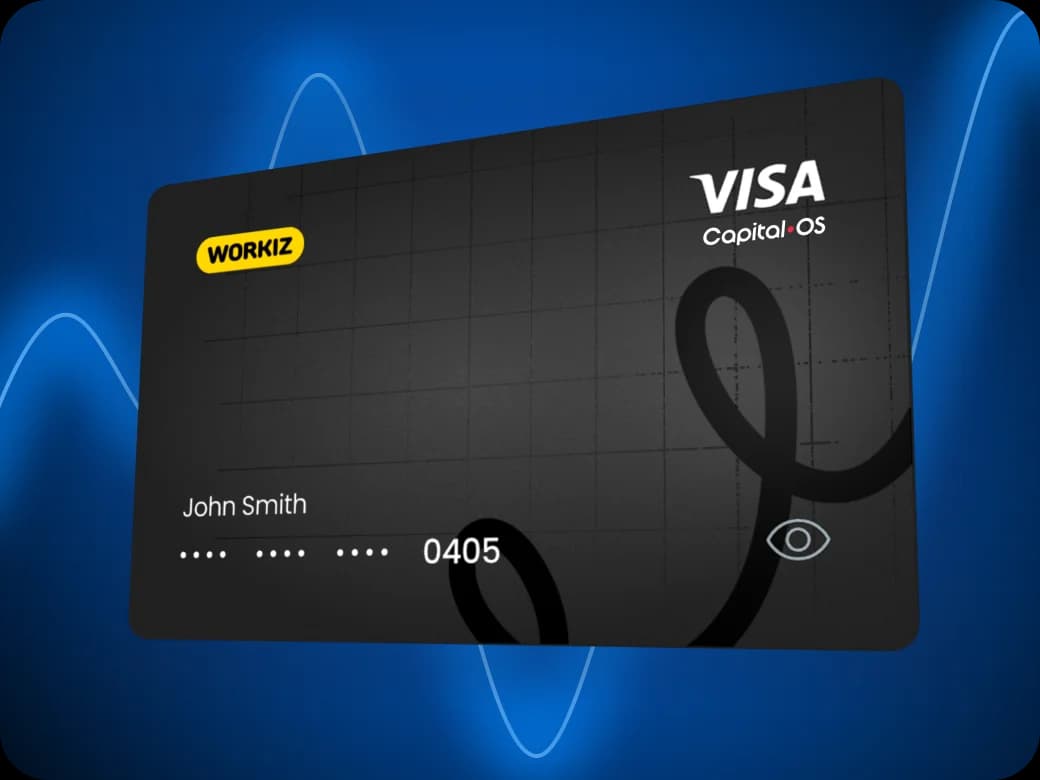
Get full control
Issue virtual or physical cards with your exact rules – control spending limits, approved vendors, and categories for every employee.
Testimonials
Workiz helps you gather all this information in a very easy and professional way.
Robert
CEO, HR Locksmith 24/7
We use it all day. Everyday. It's incredible.
Shawn Fago
CEO, Noble Locksmith

I always recommend Workiz. It's incredible and has doubled our bookings and sales.
Christian Fowler
Co-founder, Junk Doctors
I've yet to see anything better than Workiz. You have all you need to make wise business decisions.
Lee Godbold
Founder, Junk Doctors, Junk Removal Authority

Best bang for your buck field service management software! No more pen and paper.
Andrew Knicley
HVAC company owner, All-Air Systems
Since we started with Workiz, my company has grown 3 times in revenue every year.
Yuriy Dyomkin
Owner, Garage Door Ninja

Workiz makes booking our appointments super easy.
Theodore Proia
Owner, JDog Junk Removal & Hauling, Elkridge, MD

Our scheduling has improved and retention rates on jobs have increased by 10%
Tega
Owner of Removerz
We've seen a massive growth with Workiz
Jerry Flanagan
CEO and co-founder of JDog

Workiz is significantly impactful for my franchise business
Thomas Scott
Founder & CEO, Home Run Franchises
Workiz makes my business run a lot smoother!
James Thornton
Owner of Cupid disposal

Workiz completely automated my business, making management easier and more efficient than ever!
Omer
Owner of Best Pro Services

Workiz makes my life a lot easier!
Chris Heenan
Owner of AvaAir Heating and cooling

The only thing I use for my business is Workiz
Titus Zeigler
Owner of Haul Away Junk Removal
Workiz is the core of my business
Roi Tapiaro
Owner of Must Air USA

My whole business is all in one place
Mitch Harrison
Founder, CEO of Junk Masters
Workiz is the best system out there
Shane Miller
Marketing specialist at Junk Removal Authority

Workiz saved our company 20 hours a week!
Melissa Carvajal Perez
Operations manager, Carvajal AC


Workiz continuously improves their product, making it easy for us to recommend and benefit from the partnership.
Matt Merry
Operations, Junk Removal Authority

Workiz helped us generate unexpected, extra income.
Matthew Vick
Owner, Sonoma Strong Hauling & Junk Removal
It has been the best platform that I have used in 25 years in being in business.
Dan Johnson
CEO, Einstein Pros

The payment process is very seamless and all integrated into one.
John-Michael Williams
Owner, AC Panda Mechanical Contractors
I've used over 10 CRMs and Workiz is the #1 tool in my toolkit
Ben Bergloff
Owner of Epic Exterior Services
We chose Workiz because the UI is simple & easy to learn.
Kristen Zinzi
Administrator at County Comfort Home Solutions

With Workiz I was able to expand my small business into multiple locations & over 100 employees.
Jacob Szender
CEO of Sure Lock & Key
Workiz’s support delivers prompt, effective solutions, making it exceptional.
Antonia Vicens
Owner of JDog Junk Removal, GA

Workiz streamlined processes, automating tasks and updates.
Rayah Gilliland
Director of Administration Tulsa Christian Bros Painting

Workiz streamlined our business with digital estimates, invoices, and phone integration.
Olga White
Manager at Instafix Appliance Repair


Workiz simplified our business with automation, boosting growth.
Miguel Contreras
Owner and CEO at Bros Pro Hauling
Workiz is a game changer, keeping our company organized and everyone in constant contact.
Brian McLemore
Owner of Next Level Renovations

With Workiz, our team feels like we're always working in one office, no matter where we are.
Jenny Will
Sales manager at Junk Out Now

Workiz has been our secret weapon for scaling effortlessly.
Andrew Warkentine
Owner of Top Dawg Junk Removal
Workiz transformed our business with streamlined scheduling, payments, and communication.
Yedil Rakhmet
Owner of Bumsi Junk Removal

Workiz is fantastic! It manages scheduling, job creation, and leads, keeping our technicians informed and customers happy.
Kristine Taylor
Air Flows Chicago

I switched to Workiz from Service Titan in summer 2023 and have loved it ever since.
Jed Green
Co-owner of NexLvl Services
Workiz simplified scheduling and billing, boosting our efficiency.
Brian Harding
Élecproménager
Workiz integrates everything, from communication to payments, and has been our go-to for over four years.
Trevoy Dunn
Dedicated Mold Specialists

I used to run my business on paper, but Workiz lets me track all my jobs in one place digitally.
Ron Dahari
CEO at Superior Garage Door
We are getting so many 5-star reviews and more business!
Mike Bryant
CEO at Plumbing 365

Workiz has saved me thousands and thousands of hours in time
Wayne Winton
Owner Tri County Locksmith Service

Workiz transformed my business—saving time on scheduling, invoicing, and hiring.
Mike Landry
Owner, Landry Services LLC
Workiz helps me get paid faster—instant invoices, easier growth!
Don Taylor
Sales Manager Woodson & Bozeman Memphis

Jessica is phenomenal - she gets the client before the next guy would’ve, instead of losing them to voicemail.
Nick Tellie
We Love Junk

It's so easy to add jobs, send invoices and get paid all in one place
Elisha Robinson
Bob’s Plumbing, Heating & A/C LLC

Genius Answering transformed how we handle calls and book jobs!
George Galanis
Director of Operations at Air Flows Air Duct Services

Workiz keeps our business running smoothly—it's a game-changer!
Bill McHugh
McHugh Junk Removal
Workiz makes my HVAC business more efficient and profitable
Muneeb Chaudhry
Owner at HVAC Worx LLC
Workiz gives us everything we need to run our business seamlessly.
Hector Perez
Fidelis Repairs
Workiz makes running a business seamless—no more paperwork, easy payments, and automated customer follow-ups!
Brian Orchard
Owner at Everett Air

Since using Workiz, we’ve been able to take on more jobs, stay organized, and keep our customers happier than ever.
Filipe Souza
Owner at SmarTech Solutions

Workiz made our operations faster, smoother, and boosted customer satisfaction.
Gus Velasco
COIT Cleaning & Restoration

With Workiz, our growth skyrocketed over 300% — everything’s faster and easier now.
Rafael Roa
Appliances USA Pro
Workiz keeps our business running smooth—faster estimates, happy customers, and techs who get more done.
Dan and Wyatt Johnson
Einstein Pros
Workiz keeps our team efficient, organized, and ready to grow without anything slipping through the cracks.
Mike Gidich
Owner at Honey Dudes Handyman

Workiz is powerful yet simple—helping us save time, win more jobs, and stand out from the competition.
Keating Kuhn
Gold Eagle Services

Workiz helps us ensure our customers get a great experience from the first call to the final invoice.
Lior Mizrahi
Same Day Garage Door Services & Repair

This is more than just a user-friendly work management app, it's a simple, customizable solution for all your HVAC business needs.
Dan Kadosh
co-founder Workiz
Workiz helps you gather all this information in a very easy and professional way.
Robert
CEO, HR Locksmith 24/7
We use it all day. Everyday. It's incredible.
Shawn Fago
CEO, Noble Locksmith
I always recommend Workiz. It's incredible and has doubled our bookings and sales.
Christian Fowler
Co-founder, Junk Doctors
I've yet to see anything better than Workiz. You have all you need to make wise business decisions.
Lee Godbold
Founder, Junk Doctors, Junk Removal Authority
Best bang for your buck field service management software! No more pen and paper.
Andrew Knicley
HVAC company owner, All-Air Systems
Since we started with Workiz, my company has grown 3 times in revenue every year.
Yuriy Dyomkin
Owner, Garage Door Ninja
Workiz makes booking our appointments super easy.
Theodore Proia
Owner, JDog Junk Removal & Hauling, Elkridge, MD
Our scheduling has improved and retention rates on jobs have increased by 10%
Tega
Owner of Removerz
We've seen a massive growth with Workiz
Jerry Flanagan
CEO and co-founder of JDog
Workiz is significantly impactful for my franchise business
Thomas Scott
Founder & CEO, Home Run Franchises
Workiz makes my business run a lot smoother!
James Thornton
Owner of Cupid disposal
Workiz completely automated my business, making management easier and more efficient than ever!
Omer
Owner of Best Pro Services
Workiz makes my life a lot easier!
Chris Heenan
Owner of AvaAir Heating and cooling
The only thing I use for my business is Workiz
Titus Zeigler
Owner of Haul Away Junk Removal
Workiz is the core of my business
Roi Tapiaro
Owner of Must Air USA
My whole business is all in one place
Mitch Harrison
Founder, CEO of Junk Masters
Workiz is the best system out there
Shane Miller
Marketing specialist at Junk Removal Authority
Workiz saved our company 20 hours a week!
Melissa Carvajal Perez
Operations manager, Carvajal AC
Workiz continuously improves their product, making it easy for us to recommend and benefit from the partnership.
Matt Merry
Operations, Junk Removal Authority
Workiz helped us generate unexpected, extra income.
Matthew Vick
Owner, Sonoma Strong Hauling & Junk Removal
It has been the best platform that I have used in 25 years in being in business.
Dan Johnson
CEO, Einstein Pros
The payment process is very seamless and all integrated into one.
John-Michael Williams
Owner, AC Panda Mechanical Contractors
I've used over 10 CRMs and Workiz is the #1 tool in my toolkit
Ben Bergloff
Owner of Epic Exterior Services
We chose Workiz because the UI is simple & easy to learn.
Kristen Zinzi
Administrator at County Comfort Home Solutions
With Workiz I was able to expand my small business into multiple locations & over 100 employees.
Jacob Szender
CEO of Sure Lock & Key
Workiz’s support delivers prompt, effective solutions, making it exceptional.
Antonia Vicens
Owner of JDog Junk Removal, GA
Workiz streamlined processes, automating tasks and updates.
Rayah Gilliland
Director of Administration Tulsa Christian Bros Painting
Workiz streamlined our business with digital estimates, invoices, and phone integration.
Olga White
Manager at Instafix Appliance Repair
Workiz simplified our business with automation, boosting growth.
Miguel Contreras
Owner and CEO at Bros Pro Hauling
Workiz is a game changer, keeping our company organized and everyone in constant contact.
Brian McLemore
Owner of Next Level Renovations
With Workiz, our team feels like we're always working in one office, no matter where we are.
Jenny Will
Sales manager at Junk Out Now
Workiz has been our secret weapon for scaling effortlessly.
Andrew Warkentine
Owner of Top Dawg Junk Removal
Workiz transformed our business with streamlined scheduling, payments, and communication.
Yedil Rakhmet
Owner of Bumsi Junk Removal
Workiz is fantastic! It manages scheduling, job creation, and leads, keeping our technicians informed and customers happy.
Kristine Taylor
Air Flows Chicago
I switched to Workiz from Service Titan in summer 2023 and have loved it ever since.
Jed Green
Co-owner of NexLvl Services
Workiz simplified scheduling and billing, boosting our efficiency.
Brian Harding
Élecproménager
Workiz integrates everything, from communication to payments, and has been our go-to for over four years.
Trevoy Dunn
Dedicated Mold Specialists
I used to run my business on paper, but Workiz lets me track all my jobs in one place digitally.
Ron Dahari
CEO at Superior Garage Door
We are getting so many 5-star reviews and more business!
Mike Bryant
CEO at Plumbing 365
Workiz has saved me thousands and thousands of hours in time
Wayne Winton
Owner Tri County Locksmith Service
Workiz transformed my business—saving time on scheduling, invoicing, and hiring.
Mike Landry
Owner, Landry Services LLC
Workiz helps me get paid faster—instant invoices, easier growth!
Don Taylor
Sales Manager Woodson & Bozeman Memphis
Jessica is phenomenal - she gets the client before the next guy would’ve, instead of losing them to voicemail.
Nick Tellie
We Love Junk
It's so easy to add jobs, send invoices and get paid all in one place
Elisha Robinson
Bob’s Plumbing, Heating & A/C LLC
Genius Answering transformed how we handle calls and book jobs!
George Galanis
Director of Operations at Air Flows Air Duct Services
Workiz keeps our business running smoothly—it's a game-changer!
Bill McHugh
McHugh Junk Removal
Workiz makes my HVAC business more efficient and profitable
Muneeb Chaudhry
Owner at HVAC Worx LLC
Workiz gives us everything we need to run our business seamlessly.
Hector Perez
Fidelis Repairs
Workiz makes running a business seamless—no more paperwork, easy payments, and automated customer follow-ups!
Brian Orchard
Owner at Everett Air
Since using Workiz, we’ve been able to take on more jobs, stay organized, and keep our customers happier than ever.
Filipe Souza
Owner at SmarTech Solutions
Workiz made our operations faster, smoother, and boosted customer satisfaction.
Gus Velasco
COIT Cleaning & Restoration
With Workiz, our growth skyrocketed over 300% — everything’s faster and easier now.
Rafael Roa
Appliances USA Pro
Workiz keeps our business running smooth—faster estimates, happy customers, and techs who get more done.
Dan and Wyatt Johnson
Einstein Pros
Workiz keeps our team efficient, organized, and ready to grow without anything slipping through the cracks.
Mike Gidich
Owner at Honey Dudes Handyman
Workiz is powerful yet simple—helping us save time, win more jobs, and stand out from the competition.
Keating Kuhn
Gold Eagle Services
Workiz helps us ensure our customers get a great experience from the first call to the final invoice.
Lior Mizrahi
Same Day Garage Door Services & Repair
This is more than just a user-friendly work management app, it's a simple, customizable solution for all your HVAC business needs.
Dan Kadosh
co-founder Workiz
Let us know if you have any other questions, our team is always happy to help!
Workiz Expense Management helps field service businesses track, categorize, and control every dollar spent in real time. Every purchase—from gas to parts—is automatically logged and can be seamlessly tied to a technician and job for easy reporting and accountability.
Every transaction made with a Workiz Expense Card automatically and instantly appears in your Expense Report. You can see who made the purchase, on which card, if a receipt was uploaded, and if they’ve related the expense to a specific job. The best way to use Workiz Expense Cards is to assign each team member their own card with custom rules. For example, you can control daily or weekly limits for individual techs, restrict the card to specific categories (like fuel or tools), merchants (like Home Depot or Shell gas stations), or general credit limits (per day, week, or month). You set these rules once and we make sure that they are enforced. You can set exception policies so that if a purchase is not inline with a rule, you will get a notification asking if you want to approve a one time exception. Workiz Expense Cards are charge cards, meaning that they must be paid in full every month, which also means that there is no fee or interest (when paid monthly) – making them an excellent way to access short term business credit with zero fees.
There are many. For each card you issue, you can set the daily or weekly spend limit, restrict the card to specific categories (like fuel or tools), merchants (like Home Depot or Shell), or general credit limits (per day, week, or month). You set these rules once and we make sure that they are enforced forever. Any declined purchase will automatically trigger an admin notification for your awareness, and you may choose to approve a one time exception. You can also add your Workiz card to be used for common subscriptions or vendors, like Google Ads or Home Depot, making getting all your spend into your Expense Report easy and automatic.
There is no fee to use the Workiz Cards. As well, the card is typically interest-free because Workiz Expense Cards are charge cards – they need to be paid off monthly with an ACH transfer from your bank.
Workiz cards can be used for any business purchases. Each card can be customized per teammate with its own spend controls, helping you automate policies and protect your cash. Issuing cards is free. Therefore businesses often issue cards for different use cases, like office supplies or marketing budgets, and different cards for their in the field teams.
Yes. When someone makes a purchase using their Workiz card, they can add a receipt and assign it to a job right from the mobile app or desktop. Expenses, associated receipts, and linked jobs can then be viewed from the web app—making it easy to track expenses, report on job costing, and determine your profitability per job.
Yes. Expense data can sync automatically with QuickBooks, saving time on pre-accounting, money on bookkeeping, and reducing human error. You can also export expense reports filtered by cardholder, merchant, category, or job.
Yes, absolutely! You can see every transaction as it happens, along with graphs showing your top spenders and categories. The insights help you flag waste, track spending trends, and better manage your monthly spend. You can also filter your expenses in many ways so you can extract any sort of information you’re looking for. Most team members see only their expenses. Account admins and those with financial data permission will be able to view the expenses of other users.
Yes. Cardholders can upload receipts and assign expenses to jobs directly from the Workiz mobile app, or from their desktops. It’s fast, easy, and keeps your records clean without relying on paper receipts.